Generative AI - Deploy and inference of Llama 2 on Vertex AI Prediction
This post shows how to deploy a Llama 2 chat model (7B parameters) in Vertex AI Prediction with a T4 GPU. The model will be downloaded and embedded in a custom prediction image, using an Uvicorn server. You will use a n1-standard-4 machine type with 1xT4 NVidia GPU in Vertex AI Prediction.
A demo based on Streamlit and deployed in Cloud Run is also provided to easily make requests into the deployed model.
The model: Llama 2
Llama 2 is the next-generation of Meta Large Language Model, released with a free license for commercial and educational use. Note Clause 2 related the limitation of 700 million monthly active users, that requires a Meta specific license.
Llama 2 is a transformer-based auto-regressive language model, with a number of model sizes. Main features of this model are:
- Trained on a new mix of publicly available data, in total around 2T tokens.
- Doubled the context length of the model (4K) compared to Llama 1 (2K).
- Grouped-query attention.
- Available sizes: 7B, 13B, 34B (pretrained only, not chat), 70B parameters.
Model card here and paper here.
GGML is a tensor library for deep learning writen in C, without extra dependencies of other known deep learning libraries like Torch, Transformers, Accelerate. GGML only needs CUDA/C++ for GPU execution.
GGML implements some features to train and optimize LLM models on commodity hardware.
CTransformers is a python bind for GGML.
In this post we will use the GGML weights converted by TheBloke and stored in Hugging Face. The model used in this example is the 2-bit GGML model, that uses the new k-quant method in GGML.
You must download the model and store it in predict/llama2-7b-chat-ggml directory, with a similar content like this. Note no need to use a handler.py since you will not use TorchServe:
config.json
dolphin-llama2-7b.ggmlv3.q2_K.bin
Build Custom Prediction Container image
A Custom Container image for predictions is required. A Custom Container image in Vertex AI requires that the container must run an HTTP server. Specifically, the container must listen and respond to liveness checks, health checks, and prediction requests.
You will use a Uvicorn server. You must build and push the container image to Artifact Registry:
gcloud auth configure-docker europe-west4-docker.pkg.dev
gcloud builds submit --tag europe-west4-docker.pkg.dev/argolis-rafaelsanchez-ml-dev/ml-pipelines-repo/llama2-7b-chat-q2 --machine-type=e2-highcpu-8 --timeout="2h" --disk-size=300
This build process should take less than 20 minutes with a e2-highcpu-8.
Deploy the model to Vertex AI Prediction
Upload and deploy the image to Vertex AI Prediction using the provided script: python3 upload_custom.py.
The upload and deploy process may take up to 45 min. Note the parameter deploy_request_timeout to avoid a 504 Deadline Exceeded error during the deployment:
from google.cloud import aiplatform

STAGING_BUCKET = 'gs://argolis-vertex-europewest4'
PROJECT_ID = 'argolis-rafaelsanchez-ml-dev'
LOCATION = 'europe-west4'

aiplatform.init(project=PROJECT_ID, staging_bucket=STAGING_BUCKET, location=LOCATION)

DEPLOY_IMAGE = 'europe-west4-docker.pkg.dev/argolis-rafaelsanchez-ml-dev/ml-pipelines-repo/llama2-7b-chat-q2'
HEALTH_ROUTE = "/health"
PREDICT_ROUTE = "/predict"
SERVING_CONTAINER_PORTS = [7080]

model = aiplatform.Model.upload(
    display_name=f'llama2-7B-chat-q2',
    description=f'llama2-7B-chat-q2 with Uvicorn and FastAPI',
    serving_container_image_uri=DEPLOY_IMAGE,
    serving_container_predict_route=PREDICT_ROUTE,
    serving_container_health_route=HEALTH_ROUTE,
    serving_container_ports=SERVING_CONTAINER_PORTS,
)
print(model.resource_name)

# Retrieve a Model on Vertex
model = aiplatform.Model(model.resource_name)

# Deploy model
endpoint = model.deploy(
    machine_type='n1-standard-4',
    accelerator_type= "NVIDIA_TESLA_T4",
    accelerator_count = 1,
    traffic_split={"0": 100},
    min_replica_count=1,
    max_replica_count=1,
    traffic_percentage=100,
    deploy_request_timeout=1200,
    sync=True,
)
endpoint.wait()
The cost of a Vertex Prediction endpoint (24x7) is splitted between vCPU cost (measured in vCPU hours), RAM cost (measured in GB hours) and GPU cost (measured in hours). In this case, we will use a n1-standard-4 with 1xT4 GPU in europe-west4 and the estimated cost is (0.4370 + 0.02761*4 + 0.0037*16)*24*30 = 436.78 USD per month.
Streamlit demo UI
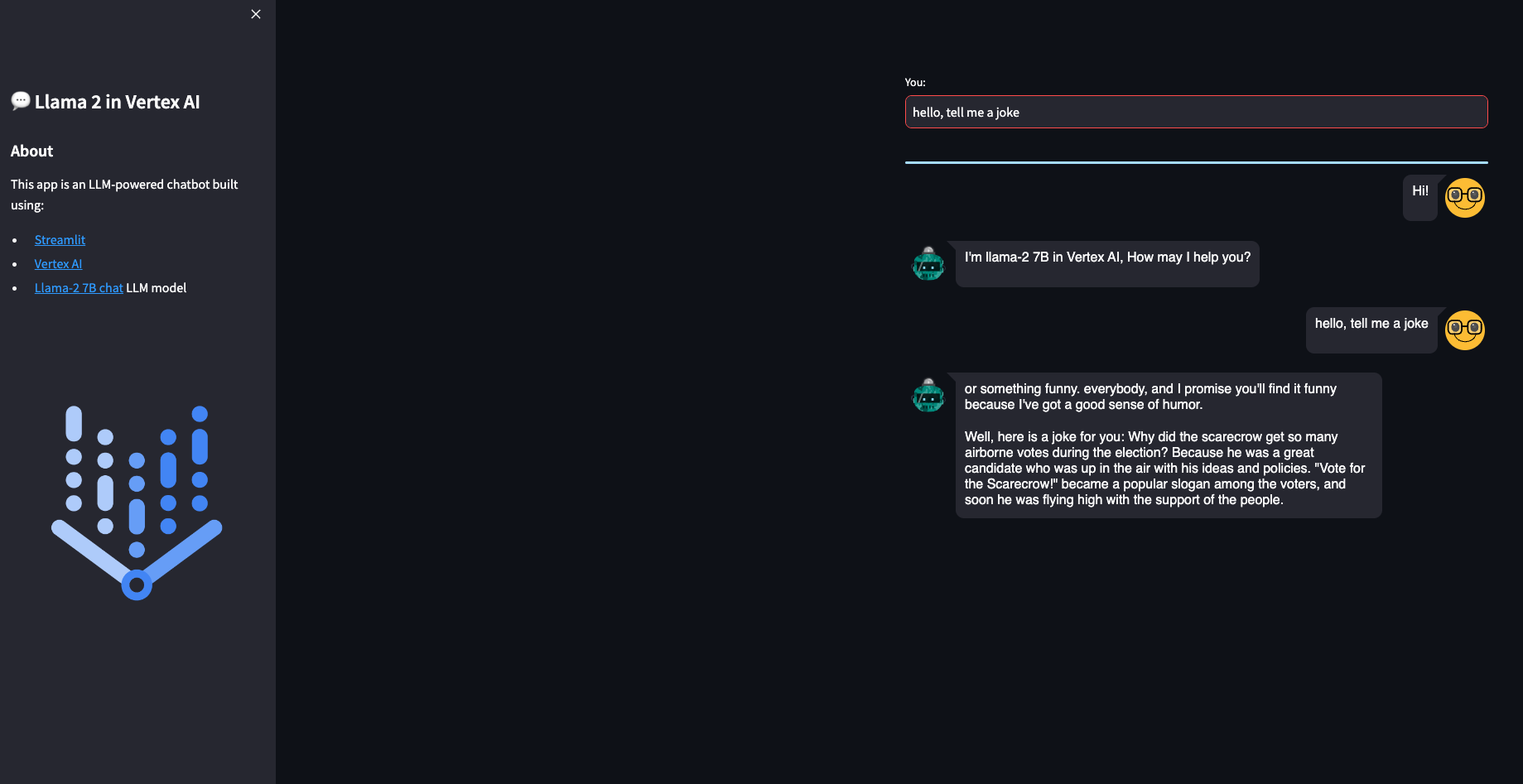
You are now ready to predict on the deployed model. You can use the REST API or the python SDK, but in this case you will build a simple demo UI using Streamlit. There are many other similar UI libraries, like Gradio, but this time let’s use Streamlit.
The Streamlit app is built on Cloud Run. You need to build the docker first, upload it to Artifact registry and then deploy it in Cloud Run:
gcloud builds submit --tag europe-west4-docker.pkg.dev/argolis-rafaelsanchez-ml-dev/ml-pipelines-repo/llama2-7b-chat-streamlit
gcloud run deploy llama2-7b-chat-streamlit --port 8501 --image europe-west4-docker.pkg.dev/argolis-rafaelsanchez-ml-dev/ml-pipelines-repo/llama2-7b-chat-streamlit --allow-unauthenticated --region=europe-west4 --platform=managed
NOTE: in the last two sections you have created two dockers, one to host the Llama 2 model (a custom container image which is then deployed in Vertex AI) and the other one (the one in this section) to host the Streamlit app that will call the model.
The Streamlit app is now deployed in Cloud Run. You can test the provided examples ot try yours. Please, note the purpose of this post is not to evaluate the performance of the Llama 2-7B chat model, but to show how to deploy a model like this in Vertex AI and Cloud Run. You may get better results with higher quantized versions or bigger models like Llama 2-13B.
Model garden
Model garden on Vertex AI is a single place to search, discover, and interact with a wide variety of models from Google and others, including open source models.
At the time of writing this post, Llama 2 is still not available in Model garden. Only OpenLlama, a reproduction of Llama 1, is available in Model garden, with code samples for deployment and tuning in Vertex AI.
Conclusions
This post shows how to make deployment of the latest Llama 2 model in Vertex AI. It uses Vertex AI prediction with one single GPU and exposes the model through a Streamlit app.
You can find the repo with all the code in this link.
References
[1] Research paper: Llama 2
[2] Original Llama 2 Checkpoints
[3] Medium post: How to build an LLM-powered chatbot with Streamlit
[4] Medium post: LlaMa 2 models in a Colab instance using GGML and ctransformers